
Focus
Steady sound that fades into the background while you work, study or read.
- Brown noise, soft rain, cafés and libraries
- Timers from short sprints to long blocks
- Gentle completion, no alarm
Coming soon to Android & iOS
Humi is a quiet ambient sound app for the two recurring states of your day: Focus and Sleep. Pick a mode, and Humi composes the mix.
Free at launch. No account needed. One email on launch day, nothing else. Privacy policy.
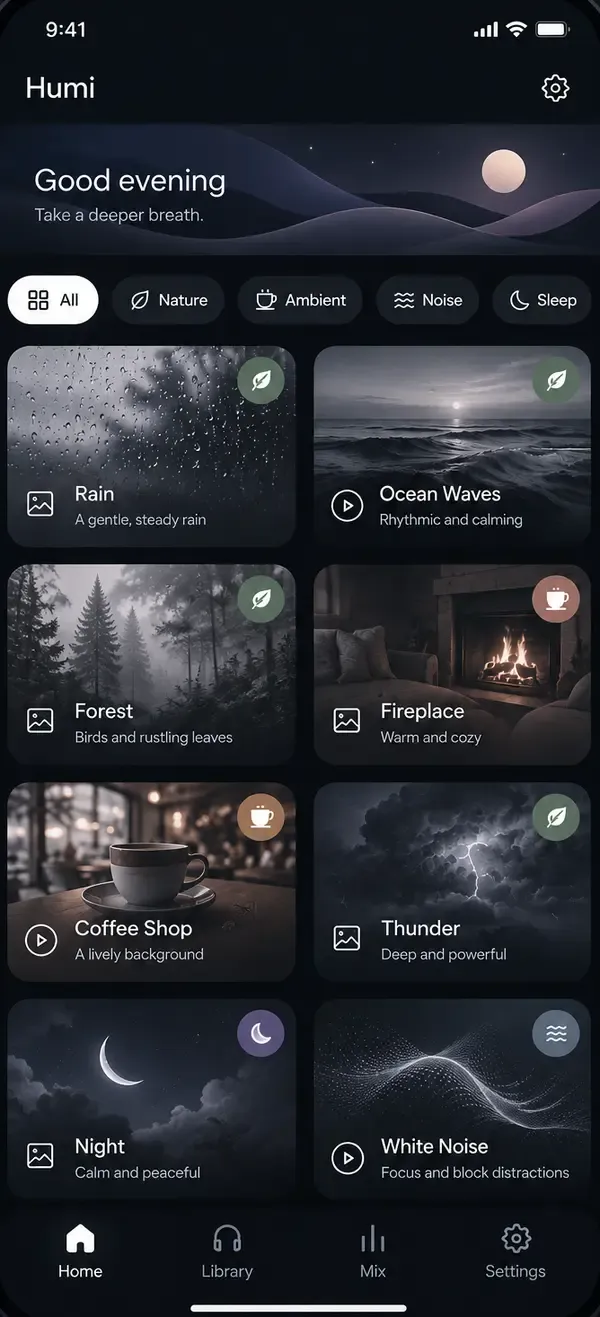
Two states, one app
Humi changes its whole atmosphere with you: light and clear for Focus, soft and dark for Sleep.
Steady sound that fades into the background while you work, study or read.

A darker, slower space to wind down, with sound that leaves when you do.
How it works
Focus or Sleep. Humi opens in whichever fits the time of day, and learns from what you actually listen to.
The foundation of your mix.
Humi composes the layers and levels for you. Want more rain, less wind? Slide it. Humi remembers.
Soundscapes
Every soundscape is built from layered, seamless loops, with a picture to match. Some move, and some respond to your touch.








And more at launch, including brown and white noise, thunder, fireplace, train rides and wind in the trees.
Listening mode
Tap anywhere to play or pause. Swipe to discover. The controls stay in the same place, so it feels effortless.

Full-screen soundscapes

Swipe to discover

Controls that stay put
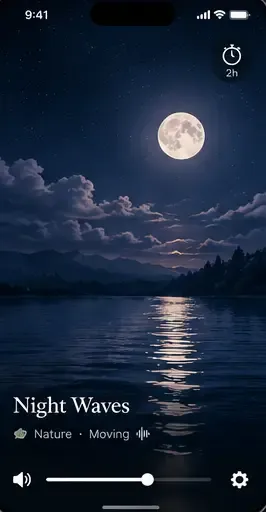
Timer with fade-out
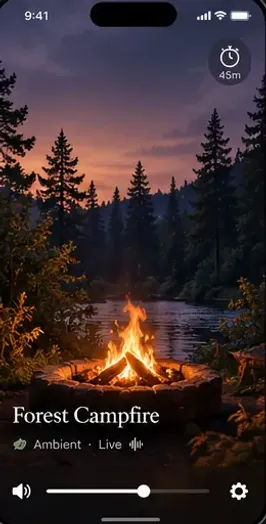
Every scene has its own mood
Small details
Pick a session length and the sound eases away before it ends, so a Sleep timer never cuts off abruptly and a Focus timer ends gently.
Humi composes a starting mix, then lets you adjust each layer with piano-key volume sliders. It remembers the changes you make.
Lock your phone and keep listening. Play, pause and stop work from the lock screen, the notification shade and your headset.
In Listening mode, swipe up or down for the next soundscape. Tap to pause, double tap to save a favorite. Nothing else on screen.
See your week, your month and all time, and rate how a session felt. No streak pressure, no badges.
The sounds are built into the app, so rain keeps falling on a flight, a train or a weak signal.
Private by design
Humi has no account and no backend. What it learns about how you listen is used to make Humi feel more like yours, and it never leaves your device.
Questions
Humi is an ambient sound app with two modes: Focus and Sleep. Pick a mode and a sound character, and Humi composes a mix of rain, water, nature, places and noise to start from. You can adjust it, and Humi remembers what you change.
Humi is close to launch for Android and iOS. Join the waitlist and we will email you once, on launch day, with the download links.
Humi launches free. An optional paid plan with extra soundscapes may come later; join the waitlist to hear about it first.
No. There is no sign-up and no account. Your favorites, sessions and settings are saved on your phone.
They are the colors of noise Humi builds a mix around, such as white noise and brown noise. White noise is bright and even; brown noise is deeper and softer. The character is the foundation, and rain, waves or a café sit on top of it.
Yes. Focus mode is made for work and study, with light visuals and timers from short sprints to longer blocks. Many people pair brown noise or soft rain with a Focus timer.
Yes. Sleep mode is dark and calm, with timers that fade out and an option that follows when you usually fall asleep. Humi is for relaxing; it is not a medical product.
Almost everything stays on your phone. The only optional feature that uses the internet is weather: if you turn it on, your approximate location is sent to a weather service to fetch a forecast. The privacy policy has the details.
Join the waitlist and get one email on launch day with the download links for Android and iOS.
No spam. Unsubscribe any time. Privacy policy.